
Here is a short list of recent notable AI developments that we think professional writers and publishers should be paying attention to:
Around We Go–Chips Edition. Nvidia announced an enormous investment of up to 100BB in OpenAI (in part to purchase Nvidia chips), followed by a partnership announcement between OpenAI and AMD, whereby OpenAI will use AMD processors in new datacenters, and acquire up to 10% of AMD. Clear enough?
Deloitte Shows Precisely How Not To Use AI. Deloitte used OpenAI Enterprise Edition (through Microsoft Azure) to assist with a report it prepared for the Australian government. Apparently there was light editorial control, no fact checking, and the report was filled with incorrect citations. Deloitte ended up refunding $440k. The moral of the story–humans need to be in the loop. Professional AI output requires auditability. Use Symbolics’ Fact Check, which is the most comprehensive tool of its kind.
And here’s what’s new in Symbolic:
Draft Templates
Last week we launched Presets, which is a single place to hold and manage Format, Voice, and Style Guide instructions. This week, we introduce Draft Templates. A Draft Template is the “scaffolding” that creates any complex multi-part document. A Draft Template includes any number of sections, with their corresponding Voice and Formats, held as a single set of instructions. A newsletter is a good example of a document that can benefit from a Draft Template. A newsletter may have four sections, with the first being an introduction, the second summaries of curated articles, the third some impactful quotes and the fourth a links roundup. That exact 4 part structure can be saved as a single Template, and called up with a single click. Symbolic has included example Templates in the “Symbolic Presets” tab.
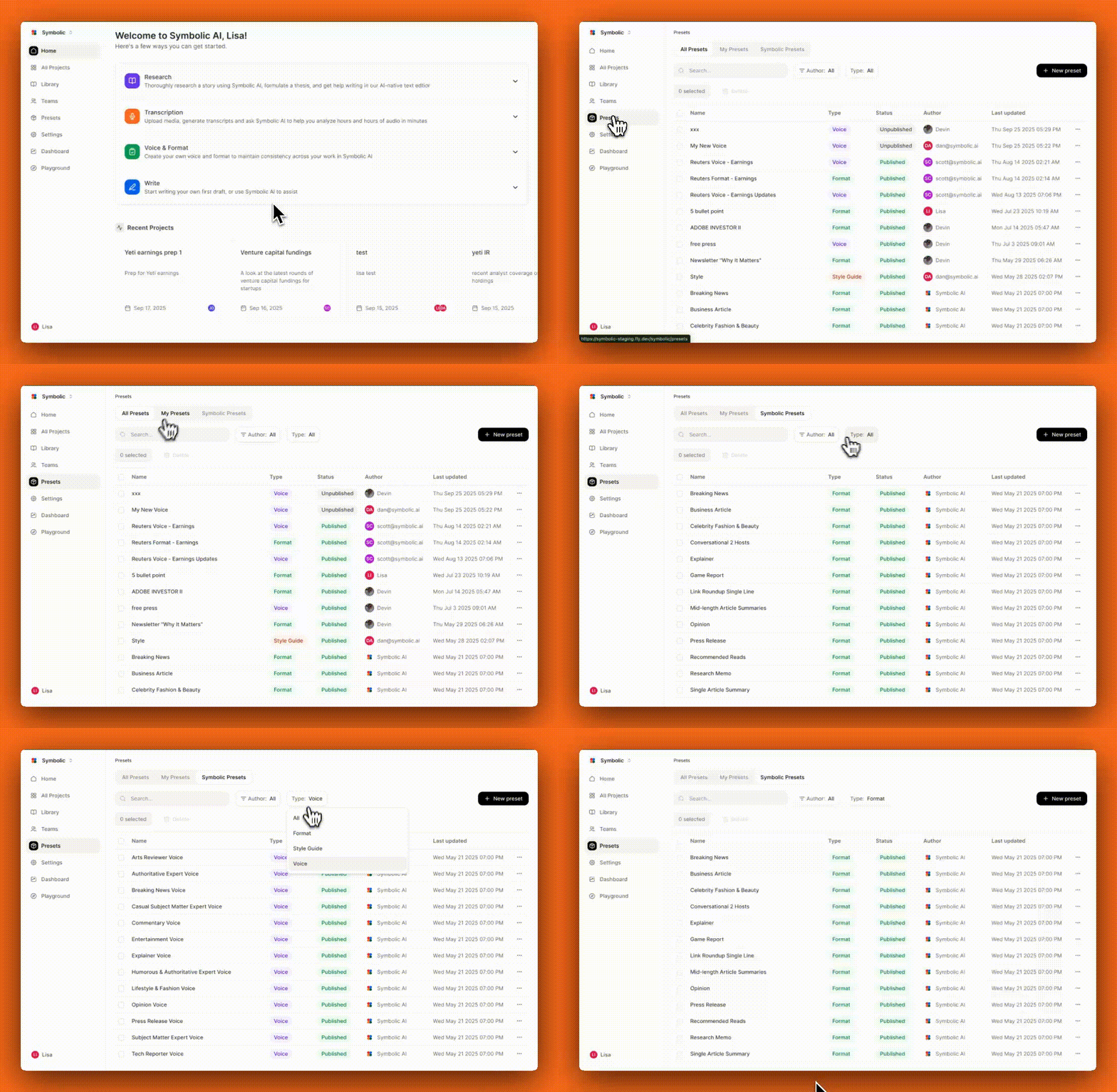
Projects Page; Tags
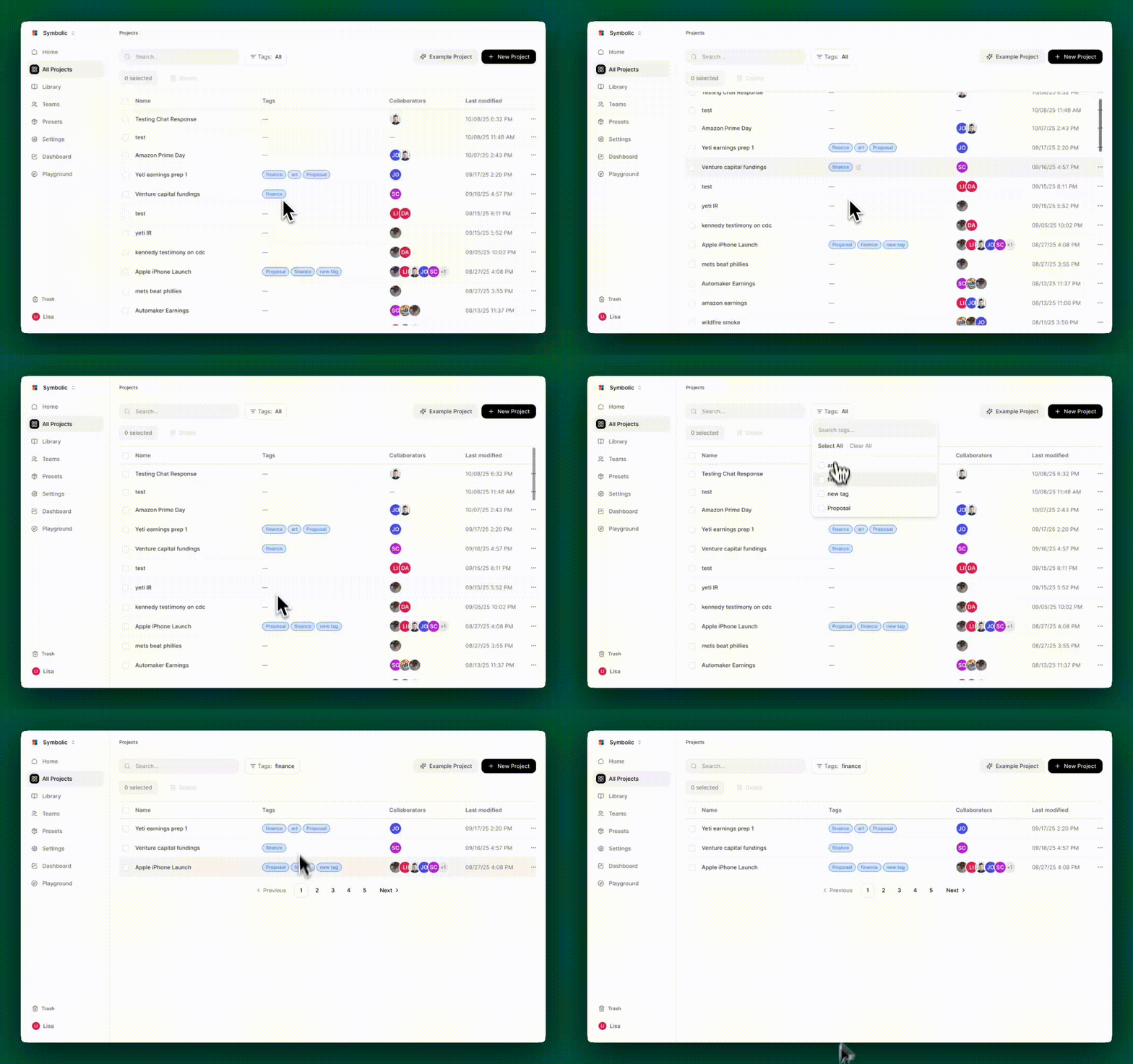
Based on feedback from customers, the Symbolic Projects page has been entirely revamped. “All Projects” now includes dates, collaborators, project tags (explained below) and the ability to search and screen. The new All Projects page has much more flexibility and utility, particularly for organizations creating a large number of projects.
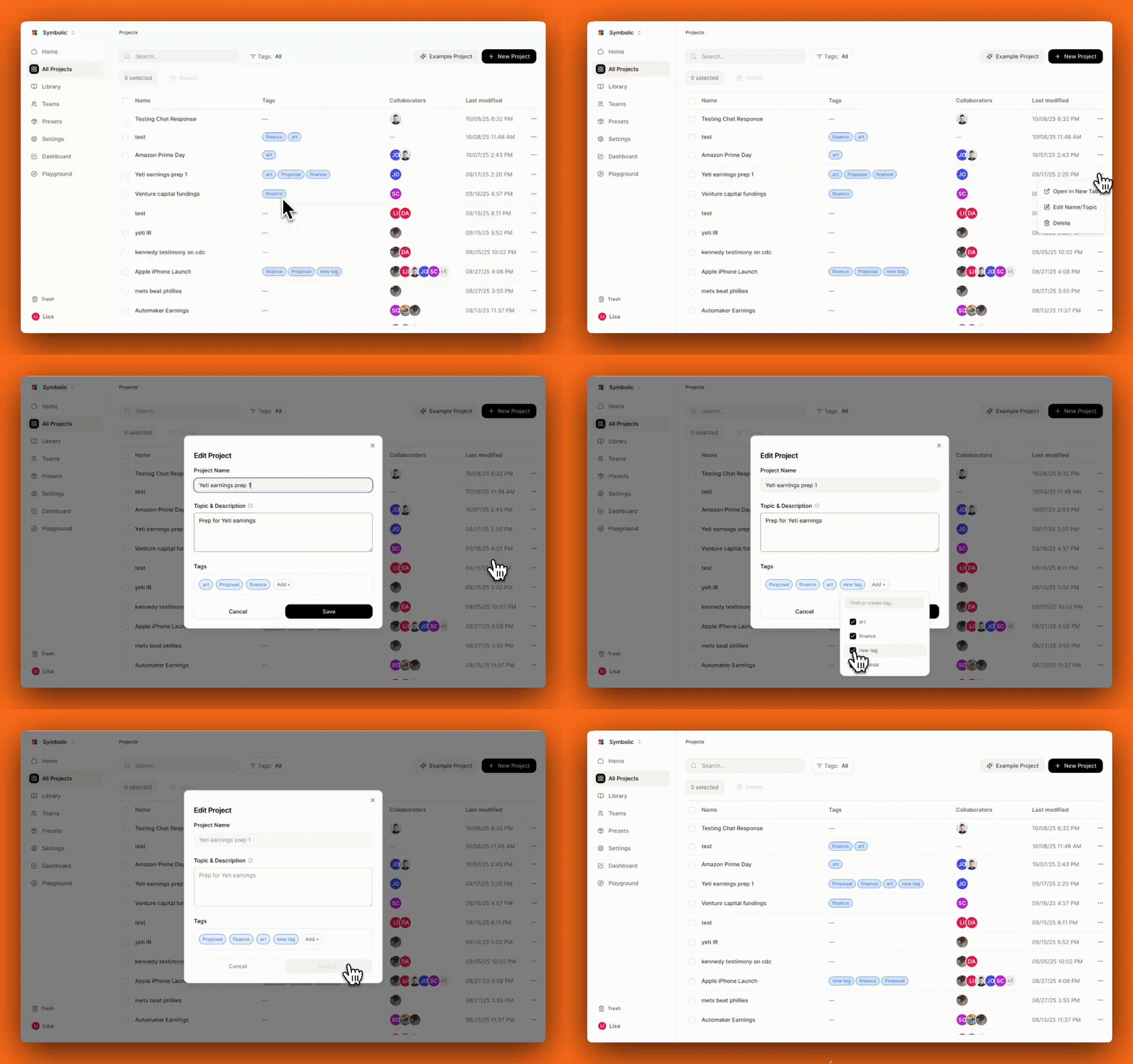
As part of the revamp of “All Projects”, tags can now be added to a project. Those tags will show up in the Projects page, and users can then group projects and search and sort based on tags. Tags function as a flexible folder system for Projects. Groups and folders are created by simply adding and modifying tags.
That’s it from us this week. We are always working to improve Symbolic and make your experience more efficient and enjoyable. We would love to hear your feedback and any suggestions you may have for future updates. Don’t hesitate to reach out to team@symbolic.ai.